Ovoko as another channel, not a second panel
RMC Baltic sells original car parts, many of them used parts from dismantling. All channels run from BaseLinker: Allegro, its own store and dozens of automatic actions the warehouse depends on. The next channel was to be Ovoko, the European marketplace for used car parts that sells to buyers across Europe.
There was one condition: Ovoko had to work exactly like Allegro. Listings and orders in BaseLinker, the same printouts, the same confirmations, the same way of packing and printing labels. No second panel anyone has to log into.
The problem: Ovoko wants vehicles, the store has names
Ovoko works on a dismantling model. Every listing has to be linked to a specific vehicle from the Ovoko catalogue (make, model, generation, year) and to one of 1,742 third-level categories. Without that, the listing is not created.
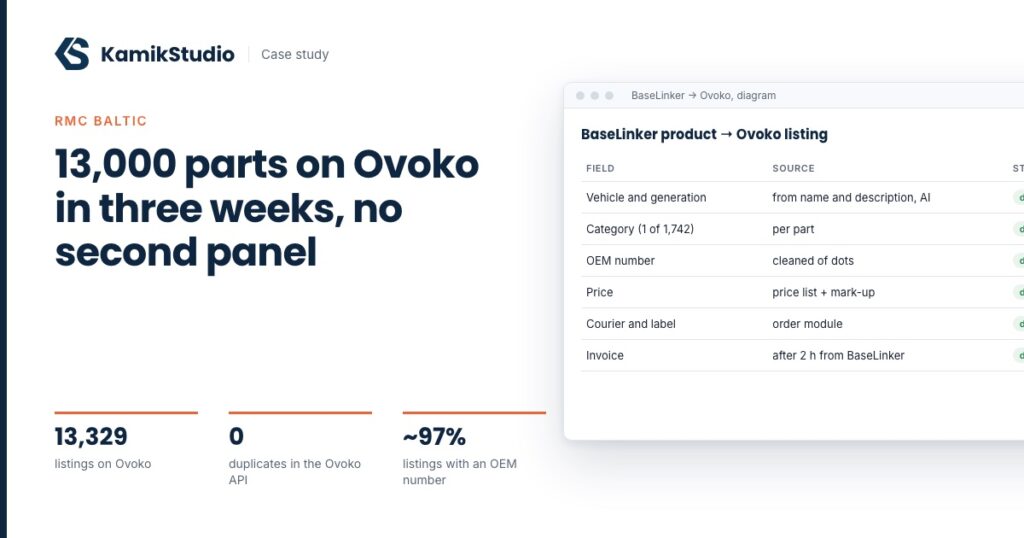
RMC Baltic's BaseLinker did not have this data in separate fields. The car model was written in names and descriptions, for example “Trafic III (E82)”, and the year appeared in only 684 of 9,518 descriptions. Store categories were broader than Ovoko's: a single category “Control panels, switches” matched 56 categories on the marketplace side. Mapping once per store category was not an option, the category had to be set for each part separately.
With over 10,000 used parts in stock, assigning a vehicle and category to every listing manually would have taken the team weeks. So from the start we planned AI matching with a confidence score and human review wherever the model was not sure.
Vehicle and category matching with AI
Matching works in two steps. First, for each store category the model picks those of the 1,742 Ovoko categories that are possible at all. Then, for each part separately, it chooses one category from that short list and a vehicle from the models of the makes found in the product attributes and description. Every decision gets a confidence score.
- A sample before the whole catalogue. On 100 parts we compared two AI models and checked the results by hand. After refining the rules (for example a single element instead of the whole assembly) about 95 out of 100 were correct.
- Uncertain items to Excel. Parts with low confidence or without a vehicle went to a spreadsheet for the client's team, about 9% of the catalogue in total. The rest went through automatically.
- Batch processing. The whole catalogue ran in batch mode and identical requests were sent once. The AI runs on the client's own account, without our margin.
Vehicles in the Ovoko catalogue and OEM numbers
A vehicle has to exist in the Ovoko system before a listing can be linked to it. Instead of thousands of individual vehicles we created 266 grouped vehicles, one per model and generation. Models missing years in the Ovoko catalogue were completed from a dictionary.
Part numbers turned out to be the second trap. Ovoko silently drops lists of numbers, dots and underscores, with no error message. We split the part number field into one OEM number and additional codes. On the sample, listings with a valid number went from 77 of 99 to 96 of 99.
Listing with a check after every batch
We listed the catalogue in batches through BaseLinker and after each batch checked in the Ovoko API that everything arrived and nothing was duplicated. The check caught twin parts with the same number and price, and one listing that had an error status in BaseLinker but was still created in Ovoko. We removed it through the API.
The first wave was over 9,700 listings, the second, with the rest of the catalogue, another 3,625. In total 13,329 live listings and zero duplicates. Prices are calculated from the Allegro price list with a mark-up, and the Ovoko account keeps prices in Polish zloty, which the marketplace converts for buyers abroad.
Ovoko does not show listings publicly until the seller account passes verification and has a payout account. The panel does not say so directly. Since this rollout we check verification status before the first listing.
Orders: what the standard integration does not transfer
The Ovoko integration in BaseLinker downloads orders, but does not transfer the courier, tracking number, label or status from Ovoko. We added a module on the store server that completes Ovoko orders in BaseLinker every few minutes:
- shipping method and a parcel with the tracking number at the right courier,
- a link to the label on the order,
- order status after the parcel is created, also for couriers the existing rules did not cover.
We went through all BaseLinker automatic actions with the new order source in mind. Some covered Ovoko unchanged, some had to be added (order sheet printout, buyer confirmations), and some were deliberately left off for Ovoko so that no second shipment would be created.
Shipping like Allegro: box scan and a label from the printer
Ovoko issues a label only after receiving the parcel dimensions. The warehouse team scans a box code for Allegro orders and wanted to do the same. We built a bridge:
- the packer scans the box code on an Ovoko order,
- the module sends the box dimensions and the weight calculated from the order's products to Ovoko,
- it asks for the label every few seconds until Ovoko issues it,
- the label is converted to the label printer format and prints automatically, the tracking number returns to the order.
A box with non-standard dimensions is entered by hand in an order field. The invoice from BaseLinker is sent to Ovoko after two hours, giving the team time for corrections, with retries if Ovoko does not respond.
Automatic new listings
The catalogue is alive, new parts arrive every day. Every few minutes the automation takes new products from BaseLinker, detects the make, chooses the vehicle with AI, creates it in Ovoko, fills in the product fields and marks the product for listing. The BaseLinker agent lists it on its own. Uncertain items go to review in the panel.
The automation always overwrites the Ovoko fields, because the team creates new products by copying existing ones. Without that, a new left trim strip would go to Ovoko with the number of the right strip it was copied from.
Five code reviews
Every module went through an independent review before release, five reviews and over 30 findings in total. Several of them would have stopped the rollout in production:
- the invoice file format from BaseLinker was not recognised, so no invoice would have reached Ovoko,
- an order split in BaseLinker looped the dimension upload,
- words glued together from HTML descriptions changed the detected models for 23% of automation products,
- interrupting batch processing at the wrong moment would have meant paying to process the whole catalogue again.
Technologies
BaseLinker API and Ovoko integration
BaseLinker automatic actions
AI language model in batch mode
Python
PHP 8.5
WordPress (modules on the store server)
Fakturownia
Label printer
Results
What this project teaches
Most of the work with Ovoko is not in the integration itself, but in the data. If the vehicle is not in a separate field, it has to be read, and that is the main cost of every rollout. The second lesson is the warehouse process: every “it should work like Allegro” is now written down before the start as concrete steps (who scans, where it prints, when the invoice is issued), because a standard integration transfers listings, but not the way people work.
We roll out the same toolset for other parts sellers. Scope and pricing are on the Ovoko integration page. The earlier stage of our work with RMC Baltic, a new store without touching 216 BaseLinker rules, is described in a separate case study.