
1. About the Act
KS SOR is a professional module for PrestaShop 8.x and 9.x that keeps online stores compliant with the Polish Plant Protection Products Act (Dz.U.2024.630 as amended by Dz.U.2025.1709).
From that day, online stores selling plant protection products must verify buyer certificates and keep transaction records.
What does the Act require?
-
Certificate verification Every buyer of professional-grade PPP must hold a valid training certificate
-
Sales records Obligation to keep a register of all transactions for 5 years
-
No shipping to parcel lockers PPP cannot be delivered to parcel machines
-
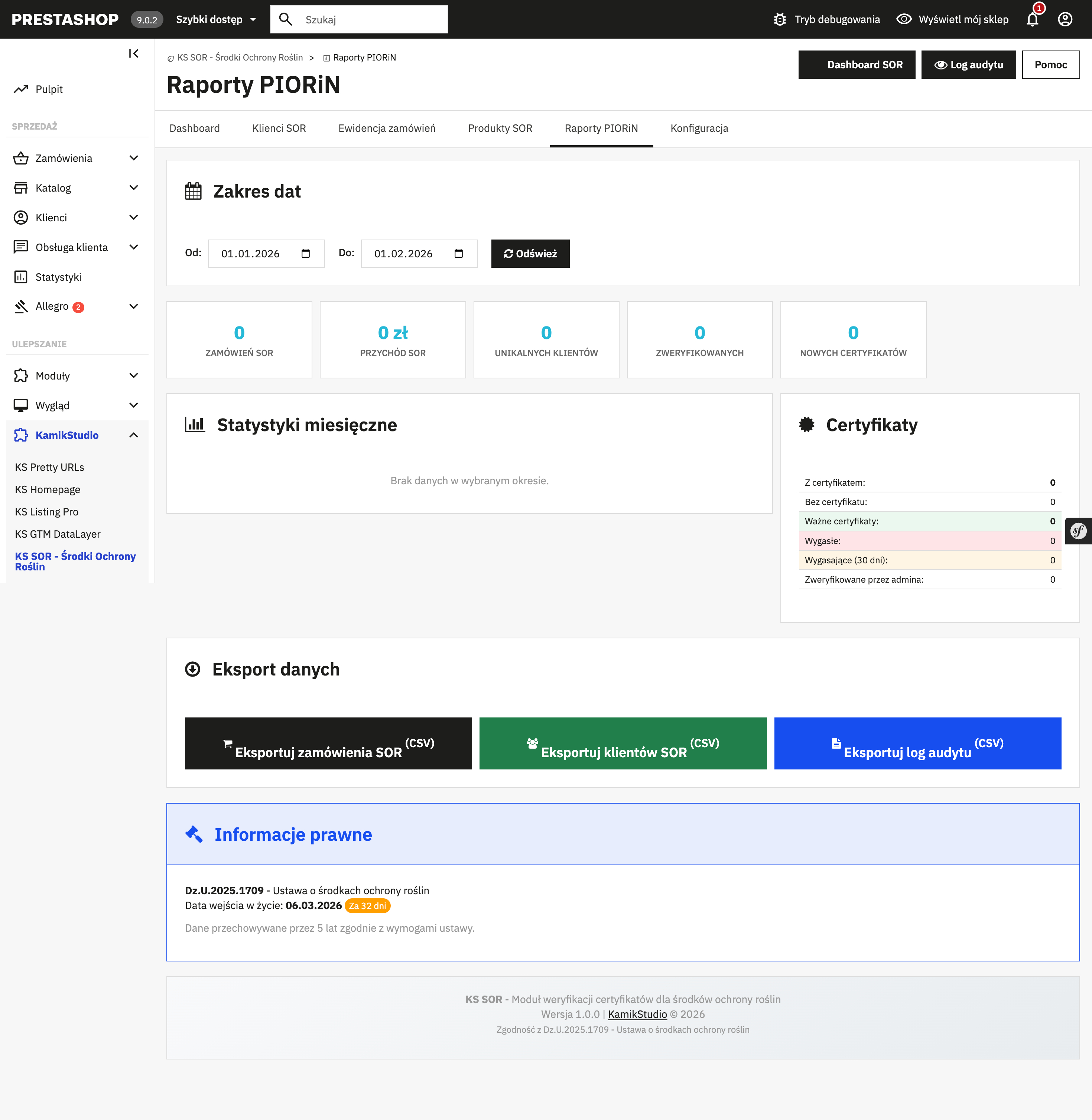
Reports for PIORiN On inspection request - data export in the required format
2. Features
New in version 2.4.0:
- AI-powered authorization verification (Google Gemini)
- Product exclusions from the PPP regime
- Guest checkout support (authorization persistence between requests)
- Self-healing of the database and permissions on every update
The largest companies in the industry use this plant protection products module for PrestaShop: AgroPunkt, Polmais, Rolchem, Osadowski Cebulski, MyAgro and PFAC.
Certificate verification
-
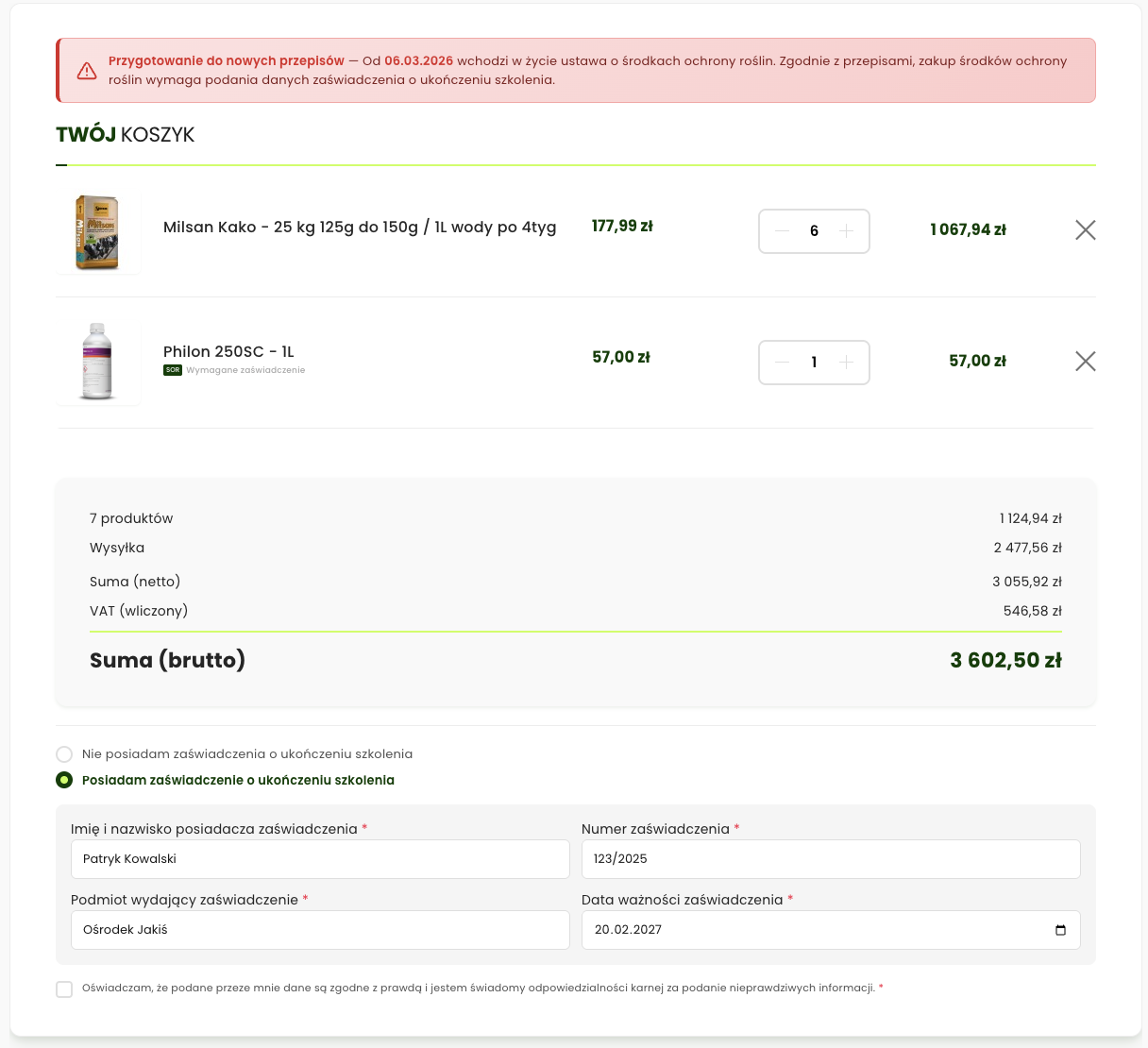
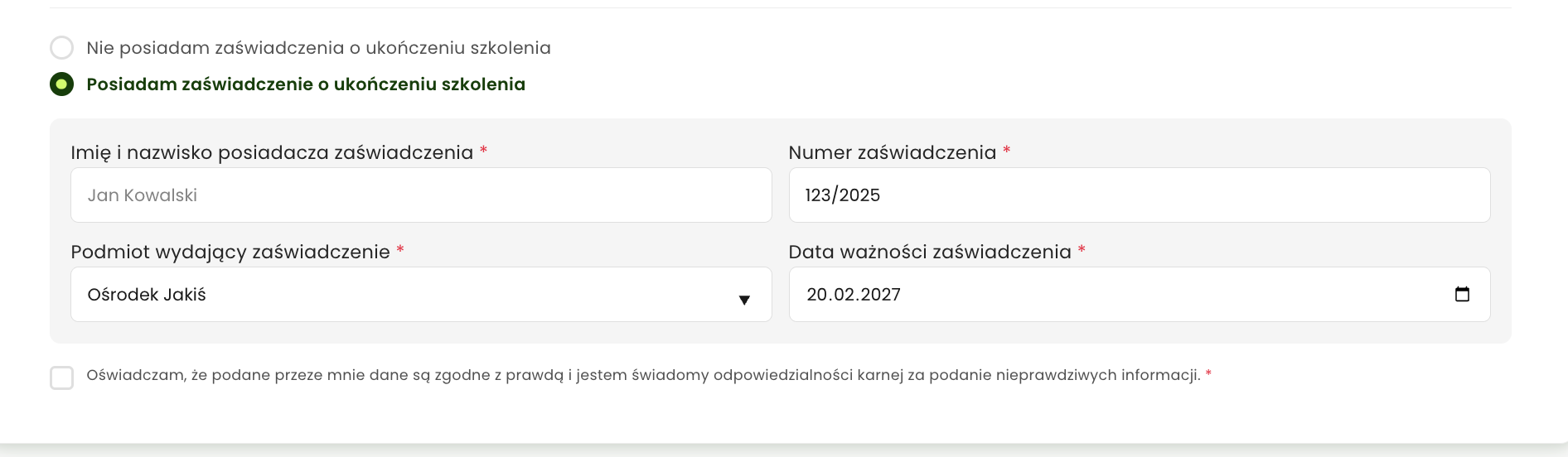
Form in the order process The customer enters the certificate details during checkout
-
Full validation Verification of the certificate number, issuer and expiry date
-
Automatic expiry checking Order blocked when the certificate has expired
-
Saved on the customer's account Certificate stored - no need to re-enter it with every order
-
Immutable history Full history of all customer certificate changes
Safety blocks
-
Purchase block without a certificate The order is automatically stopped when no valid certificate is present
-
Complete fumigant block Legal requirement - fumigants cannot be sold over the internet
-
Parcel locker and pickup point block Disallowed delivery methods hidden for SOR products
-
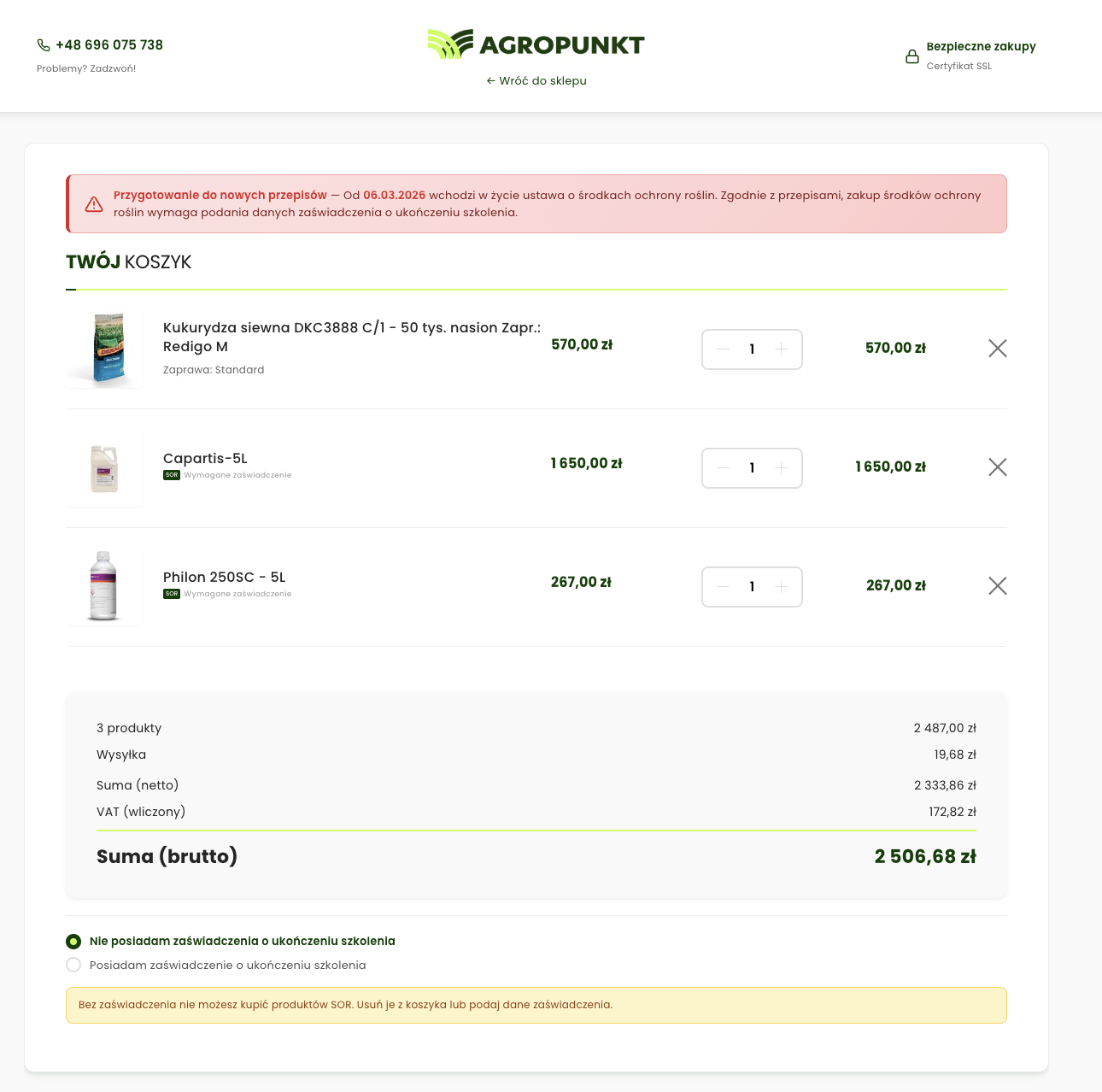
Cart warnings Information about the requirements when the cart contains SOR products
SOR product management
-
Flagging individual products Every product can be flagged as a plant protection product
-
Flagging entire categories All products in a category automatically treated as SOR
-
Fumigants (complete ban) Separate flag for products prohibited from online sale
-
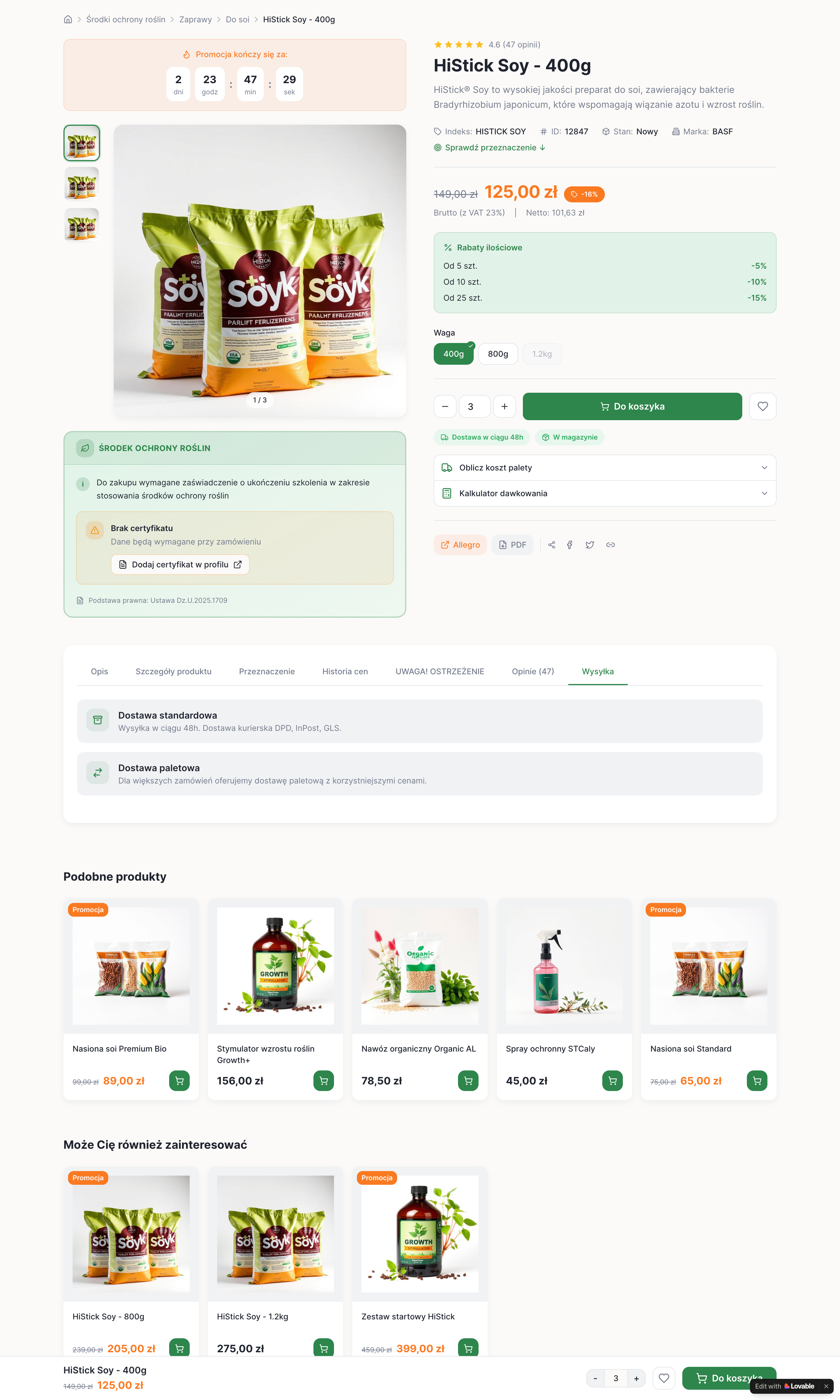
Information on the product page Visible information about the certificate requirement
Admin panel
| Module | Functions |
|---|---|
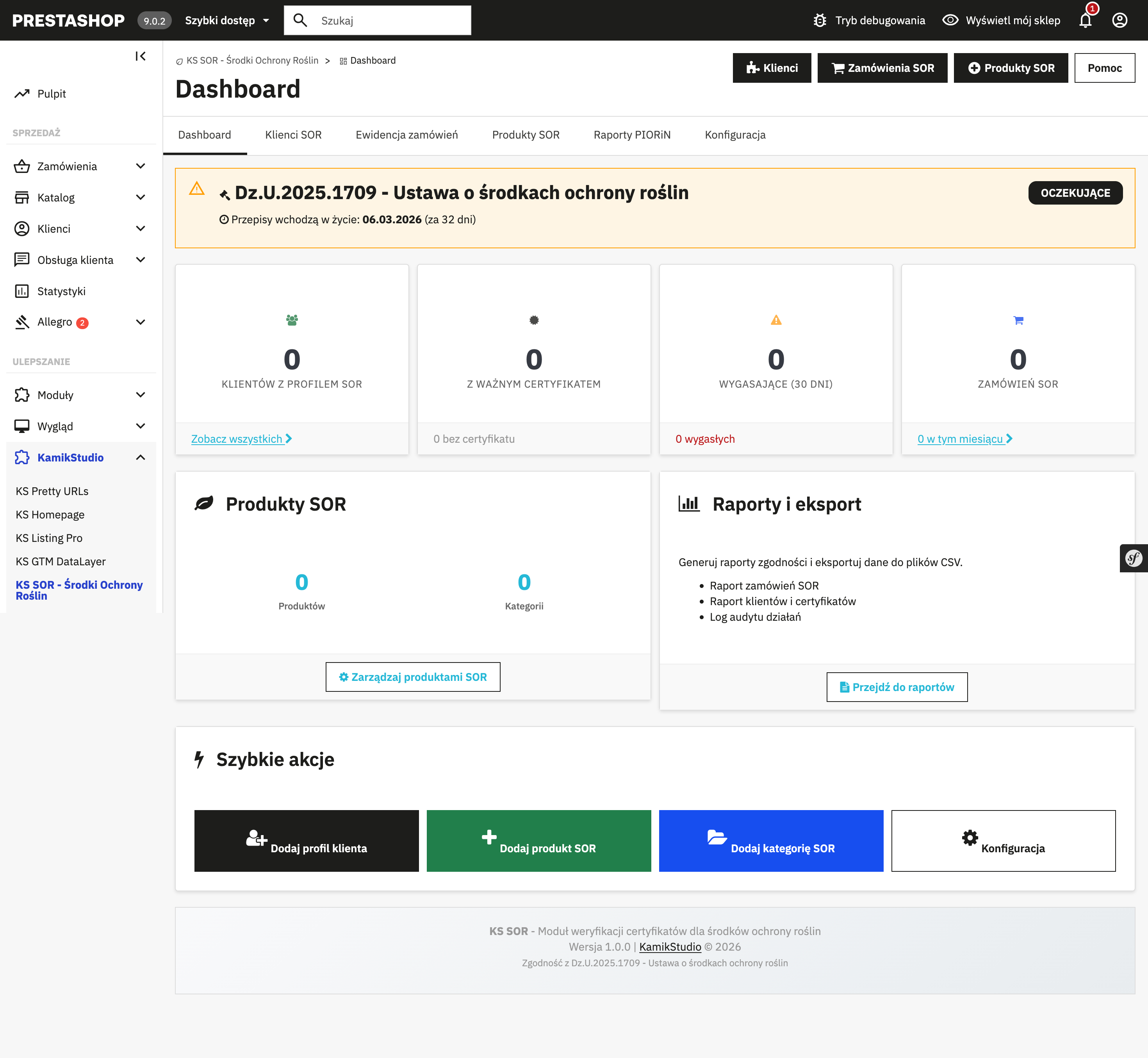
| Dashboard | Summary: number of customers, certificates, orders. Monthly statistics. |
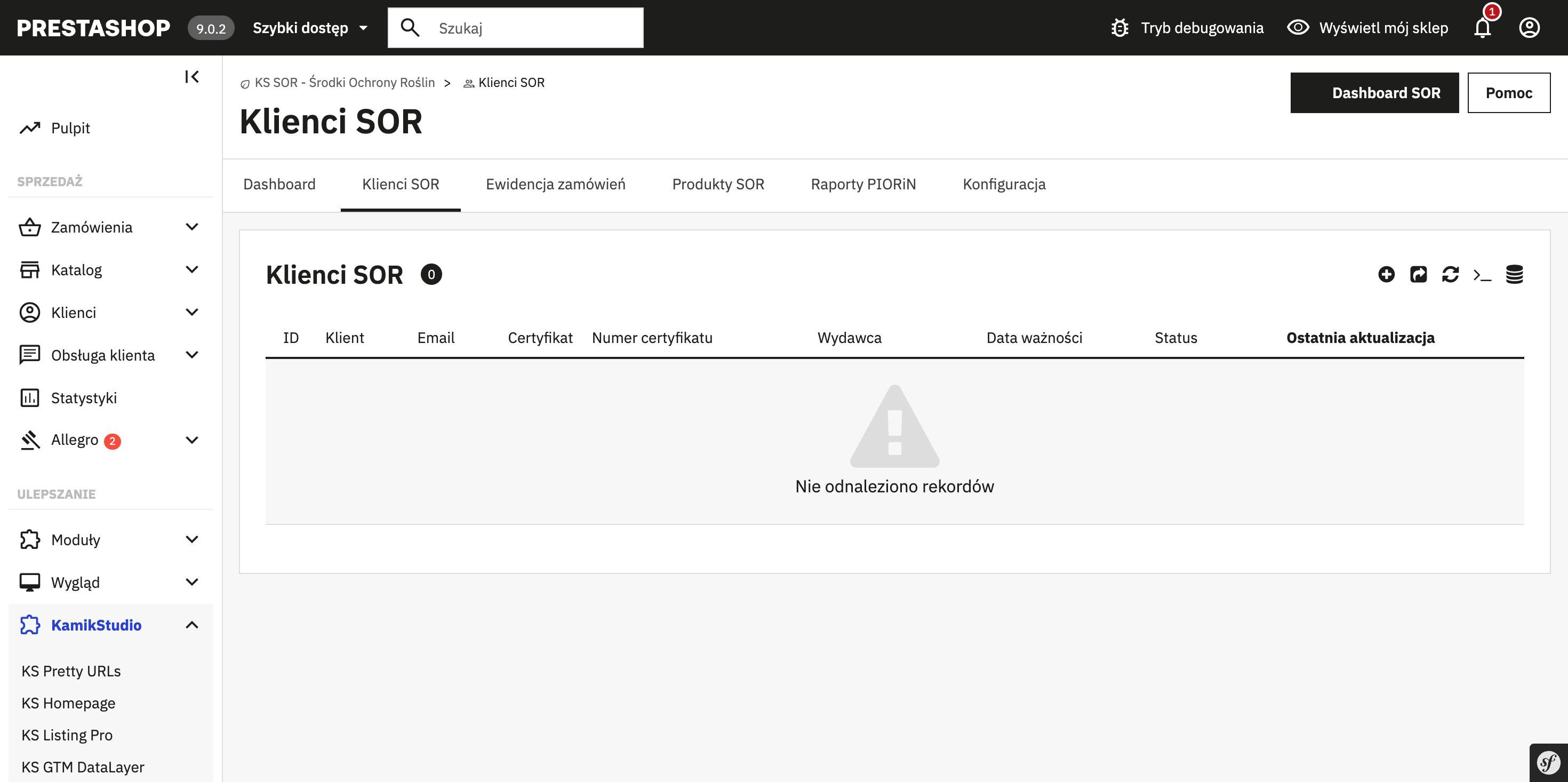
| SOR customers | Customer list, certificate status, manual verification, notes, CSV export |
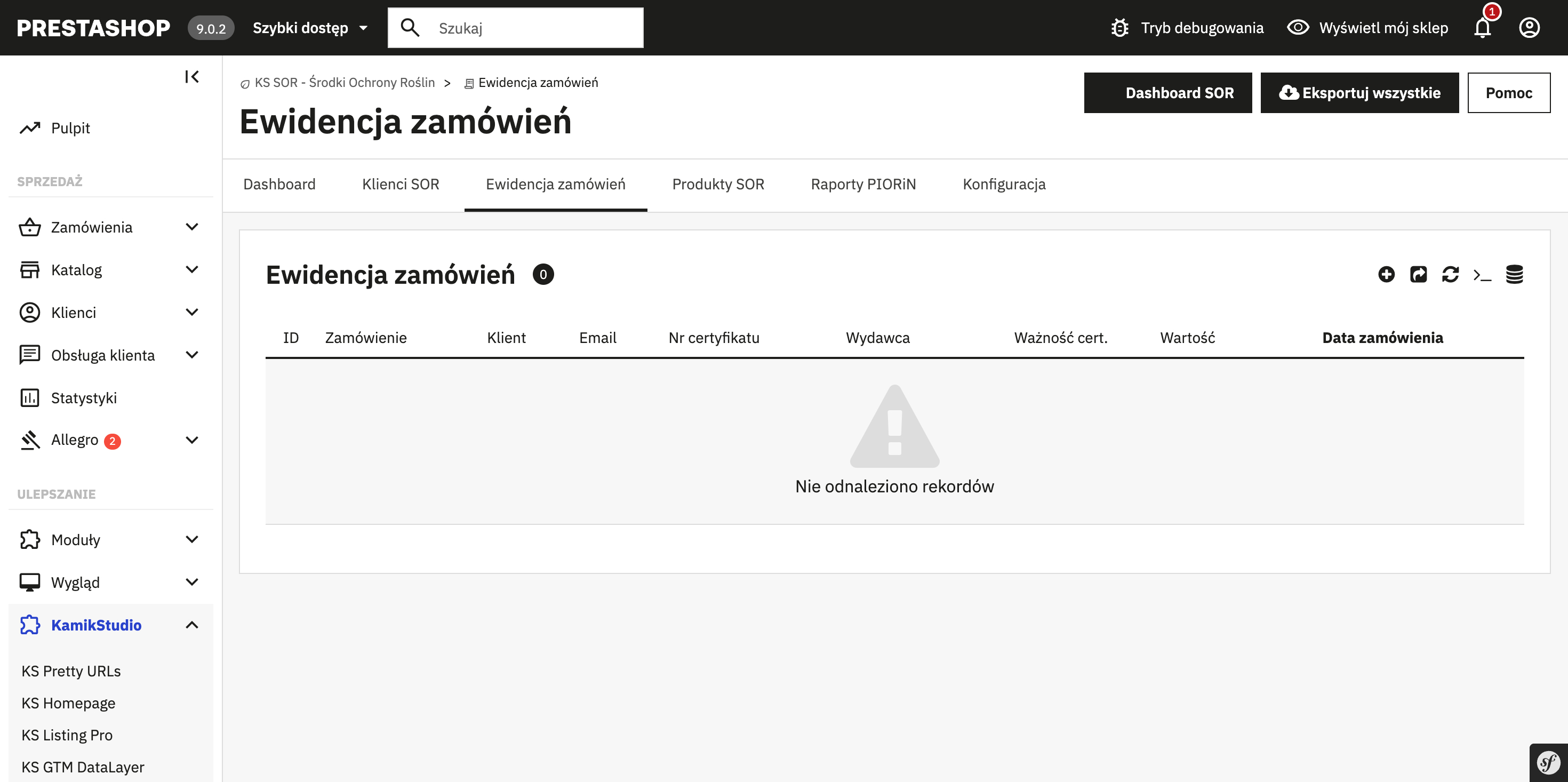
| Order records | Certificate snapshot at order time, 5-year retention, CSV export |
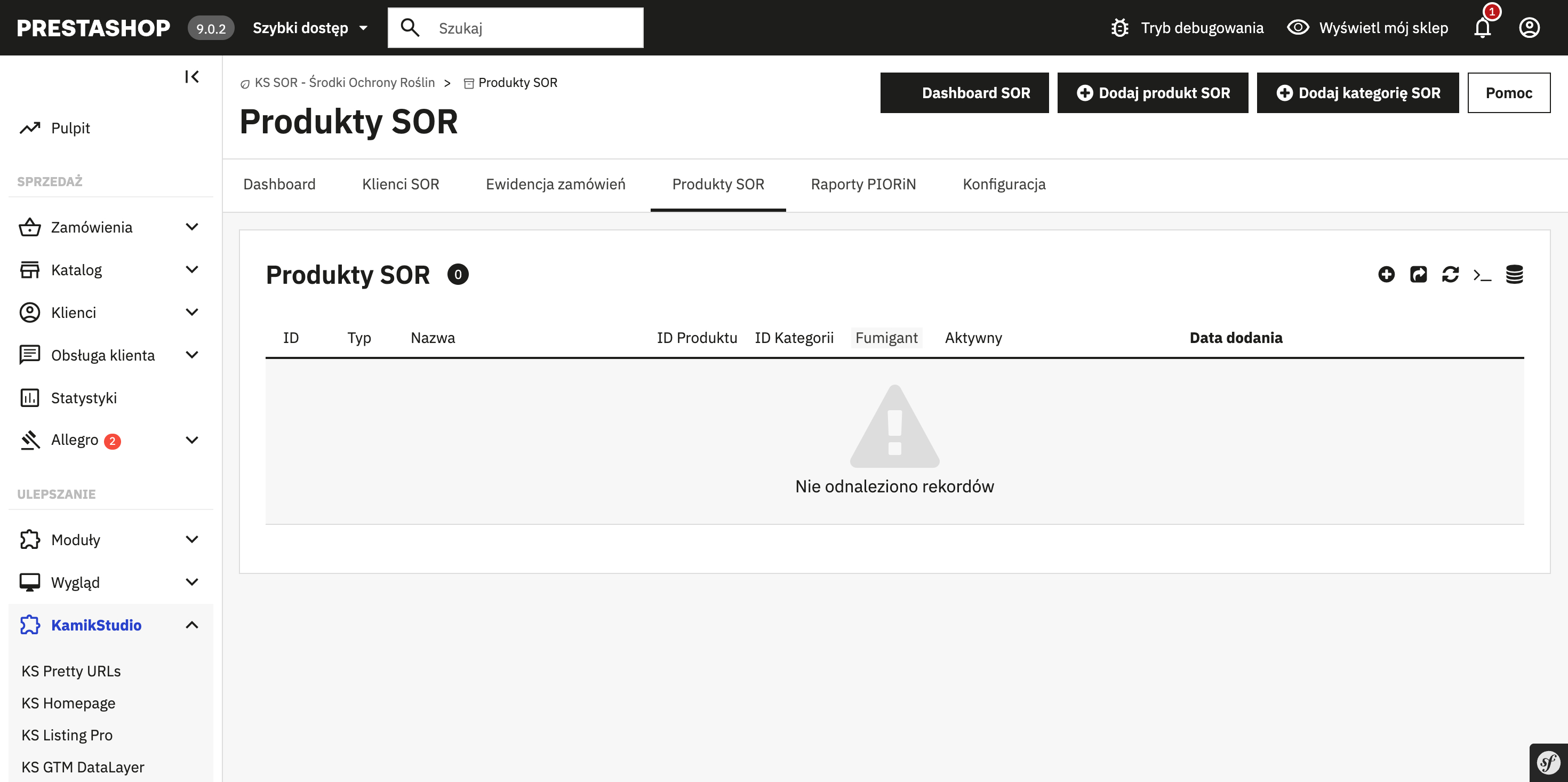
| SOR products | Flagging products, categories, fumigants |
| Reports | Expiring certificates (30 days), expired ones, full audit log |
| Configuration | Module toggle, blocked carriers, notifications, messages |
Email notifications
-
Expiring certificate alert Automatic notification when a certificate is about to expire
-
Configurable number of days E.g. 30 days before expiry - configurable in the settings
-
Templates in Polish Ready-made email templates in Polish
Legal compliance
Dz.U.2025.1709 • Sales records compliant with the requirements • 5-year data retention • Immutable certificate history (audit trail) • Ready for the effective date: March 6, 2026
Technical details
-
Responsive templates Full desktop + mobile support, optimized forms
-
AJAX form validation Instant validation without a page reload
-
Multilingual Polish included, new translations easy to add
-
Security files index.php files in all directories, protection against directory listing
Compatibility
3. System requirements
| Component | Required version |
|---|---|
| PrestaShop | 8.0.0 - 9.x |
| PHP | 8.1 or newer |
| MySQL | 5.7 / MariaDB 10.3 |
KS SOR is the first stable module handling the PPP Act that is fully compatible with PrestaShop 9.x.
4. Installation
Upload the module files
# Via SCP
scp -r ks_sor/ user@server:/var/www/prestashop/modules/

# Or via FTP - upload the ks_sor folder to /modules/Install the module
Admin Panel → Modules → Module Manager → Search for "KS SOR" → Install
Clear the PrestaShop cache
Admin Panel → Advanced Parameters → Performance → Clear cache
Configure the module
Admin Panel → KamikStudio → KS SOR → Configuration
5. Configuration
Basic settings
| Option | Default | Description |
|---|---|---|
| Module active | Yes | Enable/disable certificate verification |
| Effective date | 2026-03-06 | The date from which the module blocks orders |
| Verification mode | Required | Certificate required or optional |
| Require declaration | Yes | The customer must confirm the accuracy of the data |
| Guest checkout | No | Block PPP purchases for guests |
| Email notifications | Yes | Alerts about expiring certificates |
| Days before expiry | 30 | When to send the reminder |
| Custom messages | - | Editable texts displayed to customers |
| Legal information | Yes | Show/hide legal information on the page |
Blocked carriers
The Act prohibits shipping PPP to parcel machines. In the configuration, select the carriers that should be blocked for orders containing SOR products:
- InPost Paczkomaty
- DPD Pickup
- Allegro Automaty
- Orlen Paczka
6. SOR products
Flagging products
There are two ways to flag products as PPP:
Method 1: Individual product
- Edit the product in the admin panel
- Go to the "SOR" tab
- Check "This product is a plant protection product"
- Save
Method 2: Entire category
- Go to KamikStudio → KS SOR → Configuration
- Select categories in the "SOR categories" section
- All products from the selected categories will be treated as PPP
Method 3: Product feature
- Create a "SOR product" feature (yes/no)
- Select this feature's ID in the module configuration
- Products with this feature will be flagged automatically
Fumigants - complete ban
Fumigants (gaseous pest control products) may only be sold at physical locations. The module lets you flag products as fumigants, which will be completely blocked from online sale.
Flagging fumigants
- Edit the product in the admin panel
- Go to the "SOR" tab
- Check "This product is a plant protection product"
- Additionally check "Fumigant (online sale prohibited)"
- Save
A product flagged as a fumigant:
- Cannot be added to the cart
- Displays a message about the online sale ban
- Can be visible on the site (for informational purposes) or hidden
Label on the product page
SOR products display a special message informing the customer about the requirements:
This product is a plant protection product.
Purchasing it requires a valid certificate of completed training
in the use of plant protection products.
7. Customers and certificates
Certificate form
The customer enters the certificate details during checkout or in the "My account" panel:
| Field | Format | Validation |
|---|---|---|
| Certificate number | Text | Required, min. 5 characters |
| Issue date | YYYY-MM-DD | Required, cannot be in the future |
| Expiry date | YYYY-MM-DD | Required, must be in the future |
| Issuing authority | Text | Optional |
Verification by the admin
In the "SOR customers" panel the administrator can:
- Browse customer certificates
- Verify a certificate manually
- Add notes
- Block a customer
- Browse the certificate change history
8. Checkout process
How does the block work?
TheCheckout integration
The module automatically detects TheCheckout and displays the verification form in the right place. No additional configuration required.
9. UX scenarios
The module handles various purchase scenarios, providing an intuitive process for the end customer.
Purchase flow
Cart with SOR → Checkout (address) → Delivery method*
        ↓
★ SOR VERIFICATION (form/modal)
        ↓
   ┌────┴────┐
   ▼         ▼
Has cert.   No certificate
   ↓              ↓
Validation   Remove SOR products
   ↓              ↓
   └──────┬───────┘
          ▼
   Payment → Confirmation

* Parcel lockers blocked for SOR products
Verification form states
| State | Description | Customer action |
|---|---|---|
| Initial | Form empty, "Continue" button inactive | Fill in the certificate details or check "I don't have one" |
| Filled in | All fields valid, declaration checked | Click "Continue" to proceed |
| Validation error | E.g. the certificate has expired, an empty field | Correct the data as indicated by the error message |
| No certificate | The customer checked "I don't have a certificate" | Remove SOR products from the cart or provide the details |
Error messages
| Field | Error | Message |
|---|---|---|
| Full name | Empty | "The full name field is required" |
| Full name | Too short | "The full name must be at least 3 characters" |
| Certificate no. | Empty | "The certificate number is required" |
| Issuing body | Empty | "Select or enter the issuing body" |
| Expiry date | In the past | "The certificate has expired!" |
| Declaration | Unchecked | "You must confirm the accuracy of the data" |
System blocks
| Situation | Message shown to the customer |
|---|---|
| Parcel locker selected | "Plant protection products cannot be delivered to parcel lockers. Please choose another delivery method." |
| No certificate + SOR products | "Your cart contains products that require a certificate. Remove these products or provide the certificate details." |
| Fumigant online | "This product cannot be purchased online. Please contact us." |
UI elements
-
Badge on the product page Green "SOR" label + info "Requires a certificate of completed training"
-
Cart alert Yellow warning with information about the required documents
-
Order confirmation Section with the certificate details and the list of SOR products
10. Sales records
Every order containing SOR products is automatically saved in the sales records:
| Field | Description |
|---|---|
| Order ID | PrestaShop order number |
| Order date | Date and time of placement |
| Customer | First name, last name, email |
| Certificate number | Number from the form |
| Expiry date | Certificate expiry date |
| SOR products | Product list with quantities |
| SOR value | Value of the SOR products |
By law, the sales records must be kept for 5 years. The module does NOT delete the data upon uninstallation!
11. PIORiN reports
At the request of the State Plant Health and Seed Inspection Service (PIORiN) you can generate a report:
- Go to KamikStudio → KS SOR → PIORiN reports
- Select the date range
- Click "Generate report"
- Download the CSV or PDF file
Report format
The report contains all the data required by the Act:
- Buyer details
- Certificate number and expiry date
- Product name and quantity
- Transaction date
12. Database
Module tables
ps_ks_sor_customers        # Customers with certificates
ps_ks_sor_certificate_history  # Certificate change history
ps_ks_sor_orders           # SOR order records
ps_ks_sor_products         # Products flagged as SOR
ps_ks_sor_audit_log        # Change audit log
The detailed structure is available in the /sql/install.sql file.
13. Hooks and API for developers
PrestaShop hooks
The module uses the following hooks:
| Hook | Description |
|---|---|
displayCustomerAccount | "My certificate" section in the customer account |
displayPaymentTop | Verification form before payment |
actionCarrierProcess | Parcel locker block for SOR products |
displayProductAdditionalInfo | Requirement information on the product page |
displayShoppingCartFooter | Cart alert about SOR products |
actionValidateOrder | Sales record entry when an order is placed |
actionAdminProductsControllerSaveBefore | Saving the SOR flag when editing a product |
The module's own hooks
The module exposes its own hooks for integration:
// Before certificate validation
Hook::exec('actionKsSorBeforeCertificateValidation', [
    'customer_id' => $customerId,
    'certificate_data' => $data
]);

// After the certificate is saved
Hook::exec('actionKsSorAfterCertificateSave', [
    'customer_id' => $customerId,
    'certificate' => $certificate
]);

// Before the order is blocked
Hook::exec('actionKsSorBeforeOrderBlock', [
    'cart' => $cart,
    'reason' => $blockReason
]);
Public methods
// Check whether the customer has a valid certificate
$ksSor = Module::getInstanceByName('ks_sor');
$isValid = $ksSor->isCustomerCertificateValid($customerId);

// Get the customer's certificate data
$certificate = $ksSor->getCustomerCertificate($customerId);

// Check whether a product is SOR
$isSor = $ksSor->isProductSor($productId);

// Check whether the cart contains SOR products
$hasSor = $ksSor->cartHasSorProducts($cartId);

// Get the list of blocked carriers
$blocked = $ksSor->getBlockedCarriers();
Overriding templates
The module templates can be overridden in your theme:
themes/your_theme/modules/ks_sor/views/templates/hook/
├── displayCustomerAccount.tpl      # Customer panel
├── displayPaymentTop.tpl           # Checkout form
├── displayProductAdditionalInfo.tpl # Product page info
└── displayShoppingCartFooter.tpl   # Cart alert
14. Troubleshooting
The certificate form does not appear
Cause: No SOR products in the cart or the module is inactive.
Solution:
- Check whether the module is active
- Check whether the products are flagged as SOR
- Clear the PrestaShop cache
The KamikStudio tab does not appear
Solution: Uninstall and reinstall the module, or:
rm -f var/cache/prod/class_index.php
rm -f var/cache/dev/class_index.php
Parcel lockers are not blocked
Solution:
- Go to Configuration → Blocked carriers
- Select all carriers with parcel machines
- Save the configuration
Error "Class KsSorCustomer not found"
Cause: Corrupted PrestaShop class cache.
Solution:
rm -rf var/cache/*
php bin/console cache:clear
A customer can buy without a certificate
Cause: The module is inactive or the effective date is in the future.
Solution:
- Check whether the module is active in the configuration
- Check the effective date (default: 2026-03-06)
- For testing, set the date to yesterday
Products from SOR categories are not recognized
Cause: The category was not saved in the configuration.
Solution:
- KamikStudio → KS SOR → Configuration
- "SOR categories" section
- Select the categories and click "Save"
- Clear the store cache
The expiring certificate email does not arrive
Solution:
- Check whether notifications are enabled in the module configuration
- Check the SMTP configuration in PrestaShop
- Check the SPAM folder
- Run the cronjob manually:
php modules/ks_sor/cron.php
Conflict with another checkout module
Solution: The module is tested with TheCheckout and the standard checkout. For other modules:
- Contact us - we will check compatibility
- Customization possible for an additional fee
15. FAQ
Does the module work with PrestaShop 9?
Yes! KS SOR is the first stable module in Poland handling plant protection products for PrestaShop 9.x. It is fully compatible with versions 8.0+ and 9.x.
When does the Act come into force?
The Act comes into force on March 6, 2026. From that day, online stores must verify certificates and keep sales records.
How long is the data stored?
As required by law, the sales records are kept for 5 years. The module deliberately does not delete the data upon uninstallation.
Does the module block parcel lockers?
Yes. The Act prohibits shipping PPP to parcel machines. The module automatically hides the selected carriers for orders with SOR products.
What if a customer has an expired certificate?
The customer will not be able to place an order containing SOR products. They must update the certificate details first.
Can I sell fumigants online?
No. The Act completely prohibits selling fumigants over the internet. The module lets you flag such products so they are blocked from online purchase.
Does the module work with TheCheckout?
Yes, the module automatically detects TheCheckout and displays the verification form in the right place. No additional configuration required.
Does the customer have to enter the certificate with every order?
No. The certificate is saved on the customer's account. On subsequent orders the data is fetched automatically. The customer can update it in the "My account" panel.
What happens after uninstalling the module?
The sales record tables are NOT deleted - this is a legal requirement (5 years of retention). Only the configuration and SOR product tables are removed.
Does the module check the certificate in an external database?
No, the module does not connect to external databases. Verification consists of checking the expiry date entered by the customer. The administrator can verify the certificate manually.
How much do updates cost after 12 months?
After the update period expires, an extension for another 12 months costs €78 net. The module will keep working without updates, but you will not receive new features and compatibility fixes.
Can I use the module on multiple stores?
The license covers 1 production domain. Each additional store requires a separate license. Dev/staging domains are unlimited.
16. License and pricing
Purchase options
| Option | Net price | What's included |
|---|---|---|
| Module | €520 | Module files, documentation, 12 months of updates. Installation on the client's side. |
| Module + Full implementation | €910 | Everything above + installation on the server, full configuration, style adjustments to the client's theme, training. |
KamikStudio Commercial License
License grant
The license permits installing and using the module on:
- 1 (one) production domain
- An unlimited number of development/testing/staging domains
Restrictions
- Reselling, distributing or sharing the module is prohibited
- Removing the author information is prohibited
- Decompiling and modifying the source code for the purpose of duplication is prohibited
Support and updates
- 12 months of free updates from the date of purchase
- Technical support via email (response time up to 48h)
- Compatibility updates for new PrestaShop versions
17. Support
Reporting bugs
When reporting an issue, please include:
- PrestaShop version
- PHP version
- Description of the problem
- Steps to reproduce
- Error logs (if any)
Paid support
We offer:
- Module installation and configuration
- Customization to your individual needs
- Integration with other modules
- Staff training
Rate: €52 net / hour